Webhook
Send reports to custom HTTP endpoints for integration with any system.
Use cases
- Custom notification systems
- Integration with ticketing tools
- Triggering automation workflows
- Sending to unsupported platforms
Configuration
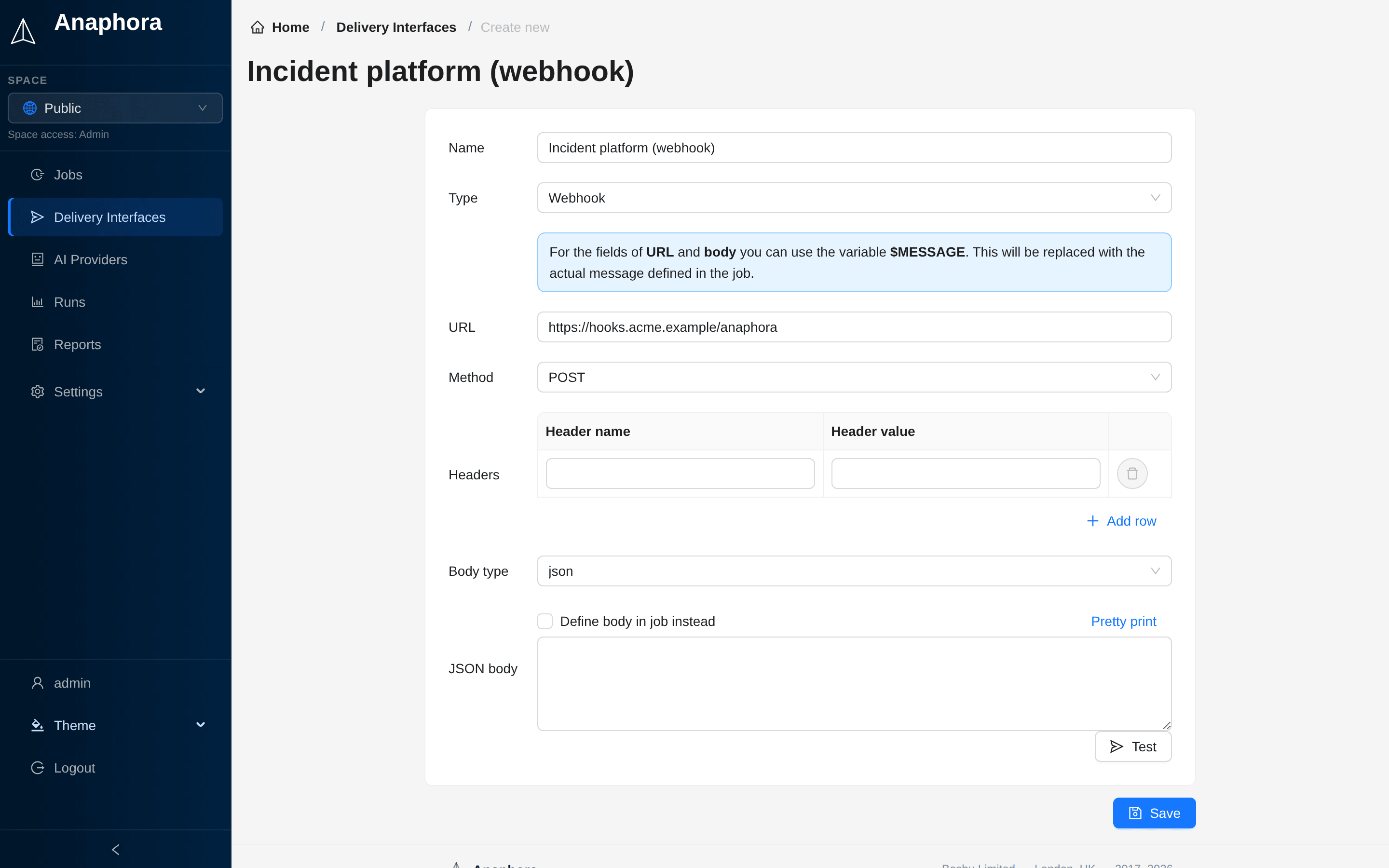
| Field | Description | Required |
|---|---|---|
| Name | Interface identifier | Yes |
| URL | Endpoint URL. Can contain $MESSAGE | Yes |
| Method | HTTP method (GET or POST, default POST) | Yes |
| Headers | Custom headers (Header name, Header value) | No |
| Body type | json or form. Shown only for POST | Yes |
| JSON body | Custom payload template (body type json) | No |
| Form body | Key-value pairs (body type form) | No |
Payload format
JSON template
Define a JSON structure that works with your endpoint in JSON body. Use the $MESSAGE variable as a placeholder
for the report content. Anaphora replaces this variable with the text that you define in the job's delivery settings.
Click Pretty print to format the JSON.
Example:
{
  "title": "Anaphora Report",
  "content": "$MESSAGE"
}
Form body
Send key-value pairs (Form name, Form value) as form data. Use the $MESSAGE variable for the report content.
Example:
report_title=Anaphora Report
report_content=$MESSAGE
JSON in job delivery
Select Define body in job instead. Each job then defines the entire JSON body in its delivery settings.
Custom headers
Add headers for authentication or routing:
Authorization: Bearer your-token
X-Custom-Header: value
Anaphora sets Content-Type from the body type.
Testing
Click Test, enter an optional Test message, then click Send to webhook.
Response handling
A delivery succeeds only when the webhook answers with a 2xx status. Any other answer fails the delivery, and the run shows the status and the answer of the webhook. The Test button, the health monitor, the license alert and the AI budget alert use the same check.
The route /guest/api/test/webhook no longer exists. If a webhook interface points at it, point it at a real receiver.
A webhook that answers "not found" fails the delivery.