S3 Object Storage
Archive reports to S3-compatible object storage for long-term retention, compliance, and historical reference.
Use Cases
| Scenario | Benefit |
|---|---|
| Compliance archiving | Immutable records for audit requirements |
| Historical reference | "What did this dashboard look like on date X?" |
| Long-term retention | Store beyond housekeeping limits |
| Cross-system access | Other tools can retrieve archived reports |
Configuration
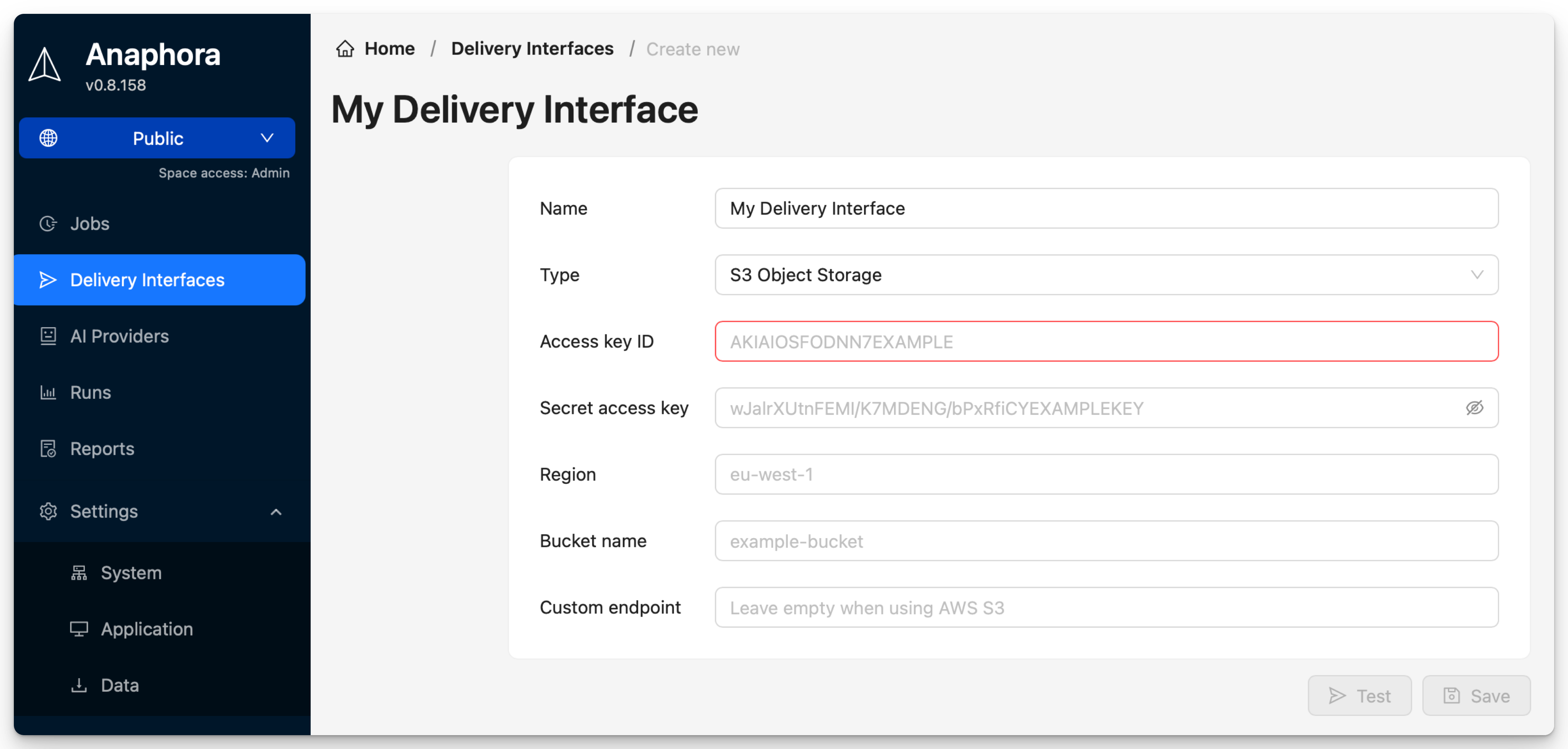
| Field | Description | Required |
|---|---|---|
| Name | Interface identifier | Yes |
| Access key ID | AWS access key or S3-compatible credentials | Yes |
| Secret access key | AWS secret key (stored encrypted) | Yes |
| Region | AWS region (e.g., eu-west-1) | Yes |
| Bucket name | Target S3 bucket | Yes |
| Custom endpoint | For S3-compatible storage (MinIO, etc.) | No |
Provider Configurations
AWS S3
Access key ID: AKIAIOSFODNN7EXAMPLE
Secret access key: wJalrXUtnFEMI/K7MDENG/bPxRfiCYEXAMPLEKEY
Region: eu-west-1
Bucket name: my-reports-bucket
Custom endpoint: (leave empty)
MinIO (Self-Hosted)
Access key ID: minioadmin
Secret access key: minioadmin
Region: us-east-1
Bucket name: anaphora-reports
Custom endpoint: https://minio.internal:9000
DigitalOcean Spaces
Access key ID: DO00EXAMPLE
Secret access key: your-secret-key
Region: nyc3
Bucket name: my-space-name
Custom endpoint: https://nyc3.digitaloceanspaces.com
Backblaze B2
Access key ID: your-key-id
Secret access key: your-application-key
Region: us-west-002
Bucket name: your-bucket
Custom endpoint: https://s3.us-west-002.backblazeb2.com
IAM Permissions
For AWS S3, the IAM user/role needs these permissions:
{
  "Version": "2012-10-17",
  "Statement": [
    {
      "Effect": "Allow",
      "Action": [
        "s3:PutObject",
        "s3:GetObject",
        "s3:ListBucket"
      ],
      "Resource": [
        "arn:aws:s3:::my-reports-bucket",
        "arn:aws:s3:::my-reports-bucket/*"
      ]
    }
  ]
}
Least Privilege
For write-only archiving, you can remove s3:GetObject permission.
Testing
- Configure the S3 interface with your credentials
- Click Test
- Verify a test file appears in your bucket
Troubleshooting
| Issue | Solution |
|---|---|
| Access Denied | Verify IAM permissions, check bucket policy |
| Invalid credentials | Double-check access key and secret |
| Bucket not found | Verify bucket name and region match |
| Connection timeout | Check custom endpoint URL, verify network access |
| SSL certificate error | For self-signed certs, configure trust settings |
Best Practices
Security
- Use dedicated IAM credentials with minimal permissions
- Enable bucket versioning for compliance requirements
- Consider enabling server-side encryption (SSE-S3 or SSE-KMS)
- Restrict bucket access with bucket policies