Spaces
Spaces provide multi-tenant workspace isolation in Anaphora. They act as "share-nothing" containers that completely separate resources between teams, projects, or tenants.
Overview
A Space is an isolated container that includes:
- Jobs and schedules
- Generated reports and run history
- Delivery interface configurations
- AI provider configurations
- User assignments and permissions
Users can belong to multiple Spaces with different roles.
Copying Between Spaces
While resources cannot be shared, they can be copied:
- In the jobs list, select the jobs to copy to another Space
- Click Copy to Space
- Choose target Space
- If applicable, select to copy associated delivery interfaces
The same process applies to delivery interfaces.
Creating Spaces
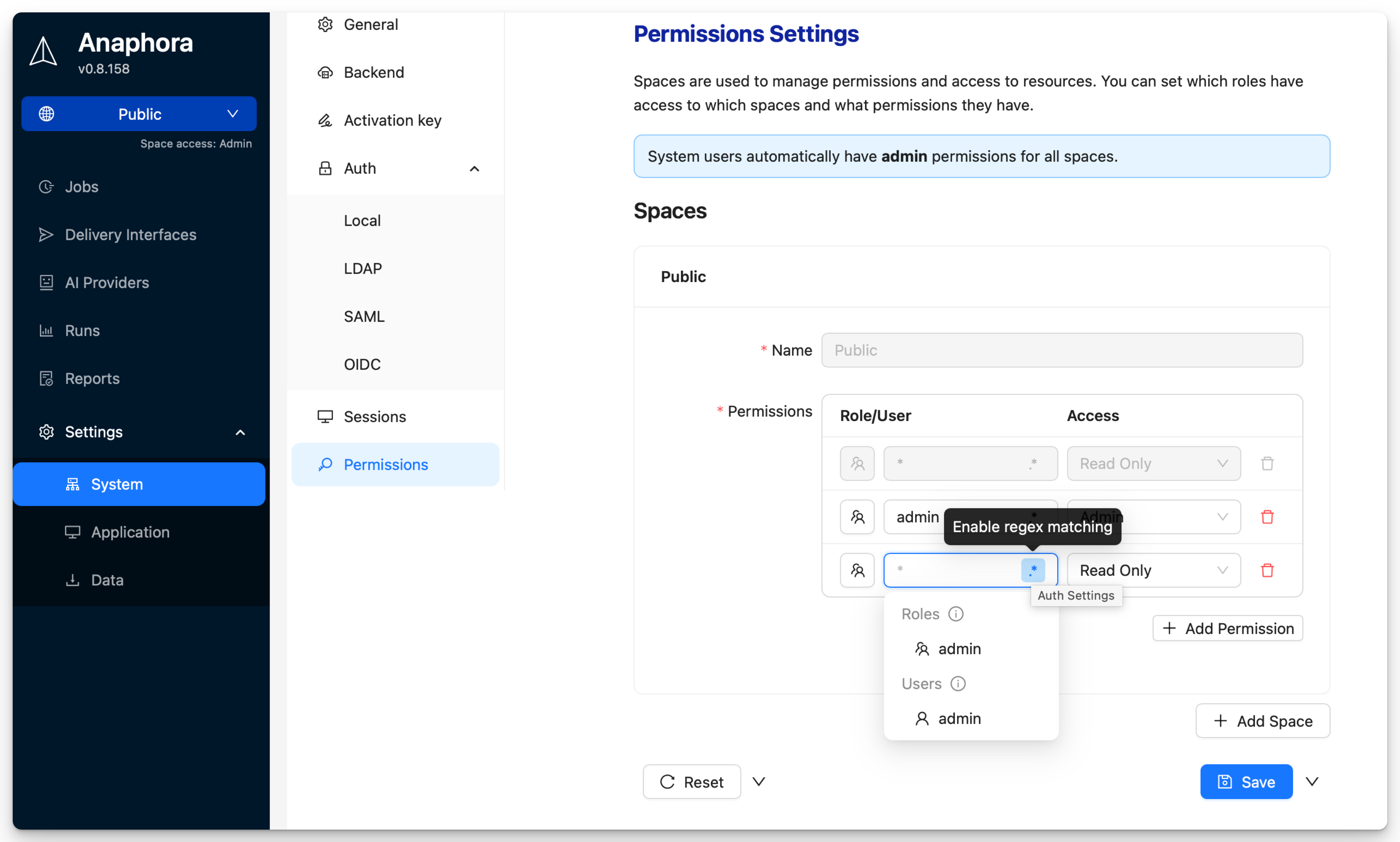
- Navigate to Settings > System Settings > Permissions
- Click Add Space
- Enter the name of the Space
Assignment Process
- Click Add Permission
- Select user or role
- Assign permission (Admin, ReadWrite, Readonly)
Users can have roles assigned to them. These roles can then be assigned to Spaces for easier management. So it is not necessary to assign each user individually.
Multi-Space Users
Users can belong to multiple Spaces, by direct assignment or via roles:
User: alice@company.com
├── Space: Engineering → Permission: Admin
└── Space: Marketing → Permission: Readonly
Role: DevOps Team
└── Space: DevOps → Permission: ReadWrite
Switching Spaces
You can switch between Spaces using the Space selector in the sidebar.

All resources you create or manage will be scoped to the selected Space.
Use Cases
Team Separation
| Space | Purpose |
|---|---|
| Engineering | Technical dashboards, system metrics |
| Marketing | Campaign dashboards, analytics |
| Executive | Summary reports, KPIs |
| DevOps | Infrastructure monitoring, alerts |
Client Isolation (MSP)
For managed service providers:
| Space | Client |
|---|---|
| Client-Acme | Acme Corp reports |
| Client-Beta | Beta Inc reports |
| Client-Gamma | Gamma Ltd reports |
Each client's data is completely isolated.
Environment Separation
| Space | Environment |
|---|---|
| Production | Live dashboards, real alerts |
| Staging | Test jobs, validation |
| Development | Experimental configurations |
Administration
Only system administrators can create and manage Spaces. Space admins can only manage resources within their assigned Spaces.
See Authentication for details on user roles and permissions.
Best Practices
Permission Principle
Assign minimal required permissions:
- Most users: Space Readonly
- Job creators: Space ReadWrite
- Team leads: Space Admin
- IT/Operations: System Admin
Next Steps
- Self Monitoring - Monitor system health
- Backup - Configure backup and recovery