Runs
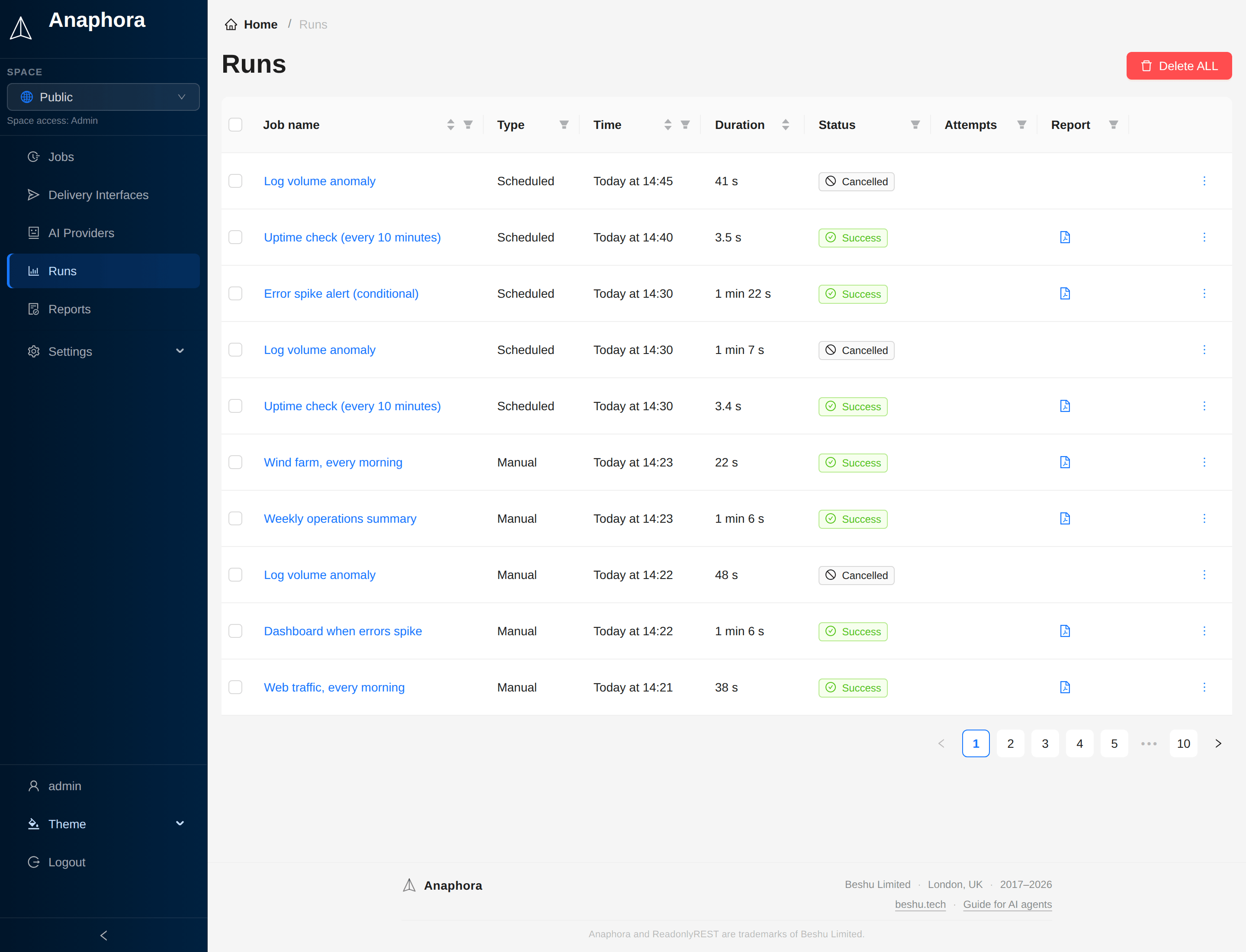
The Runs section shows the execution history of your jobs, including successful captures, failures, and delivery status.
Overview
Each time a job runs, Anaphora makes a run record. Use it to:
- Track job execution history
- Identify and debug failures
- Review captured content
- Verify delivery success
Run statuses
| Status | Description |
|---|---|
| Success | The job completed and the report was delivered |
| Delivery issue | The report was created, but it could not be delivered to all destinations |
| Error | The job execution failed |
| Cancelled | A condition stopped the run (for example a Break action), so no report was sent |
Click an Error or Delivery issue tag to see the details.
Retries and attempts
A retry is not a separate run. Anaphora lists the retries under the run that failed first, and the Attempts column counts them. When you delete a run, its retries and their files go with it.
The Status and Report filters read the latest attempt of a run. So a run whose retry succeeded is listed as a success.
Status on the Jobs list
The Jobs list shows the result of the last run of each job:
| Status | Description |
|---|---|
| Success | The report was delivered |
| Error | The run failed |
| Delivery issue | A destination refused the report |
| Not delivered | Anaphora withheld the report because a text block of the template failed |
| No runs | The job did not run yet |