Self Monitoring
Monitor Anaphora's health, job and delivery success.
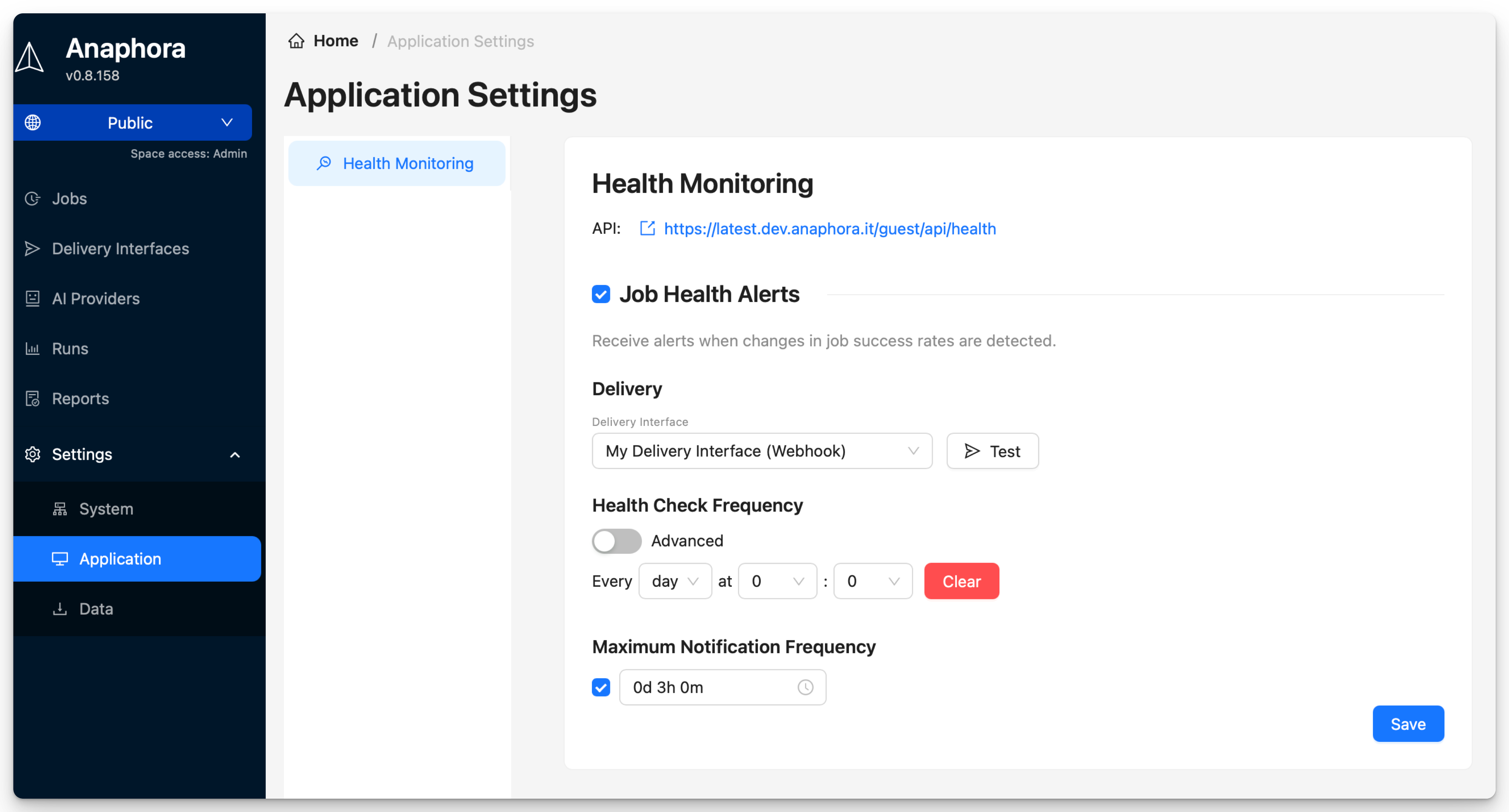
Health Monitoring
Access the monitoring settings at Settings > Application > Health Monitoring.
Setup Health Alerts
Configure email alerts when the system detects changes in job health status.
- Enable Health Alerts.
- Select a delivery interface and recipient email.
- Set Health Check Frequency: how often to check job health.
- Set Maximum Notification Frequency: minimum time between alerts (Optional).
- Click Save.
Health API
Query Anaphora's health status programmatically:
GET /guest/api/health
Response Format
{
  "jobs": [
    {
      "id": "79cf54b6-df32-4b09-84f4-708ecc72b7bc",
      "name": "Kibana Dashboard Snapshot",
      "description": "Takes a snapshot of a dashboard",
      "cron": "5 4 * * *",
      "healthStatus": "green",
      "recentRuns": [
        {
          "runAt": "2026-01-15T04:05:00.041Z",
          "state": "success"
        },
        {
          "runAt": "2026-01-14T04:05:00.051Z",
          "state": "success"
        },
        {
          "runAt": "2026-01-13T04:05:00.034Z",
          "state": "success"
        },
        {
          "runAt": "2026-01-12T04:05:00.040Z",
          "state": "success"
        },
        {
          "runAt": "2026-01-11T04:05:00.034Z",
          "state": "success"
        }
      ]
    }
  ],
  "deliveryInterfaces": [
    {
      "id": "4d5fba03-561e-4503-bf4d-c41817133aca",
      "name": "My Delivery Interface",
      "type": "webhook",
      "healthStatus": "green",
      "summary24Hours": {
        "totalCount": 11,
        "errorCount": 0,
        "errors": []
      }
    }
  ]
}
Health Status Values
| Status | Meaning |
|---|---|
| green | All recent runs successful |
| yellow | Some recent failures |
| red | All recent runs failed |
| gray | No recent activity |
Next Steps
- Backup - Configure backups