AI News Collation
Capture several pages, have AI summarise them, and send the summary with the pages.
Goal
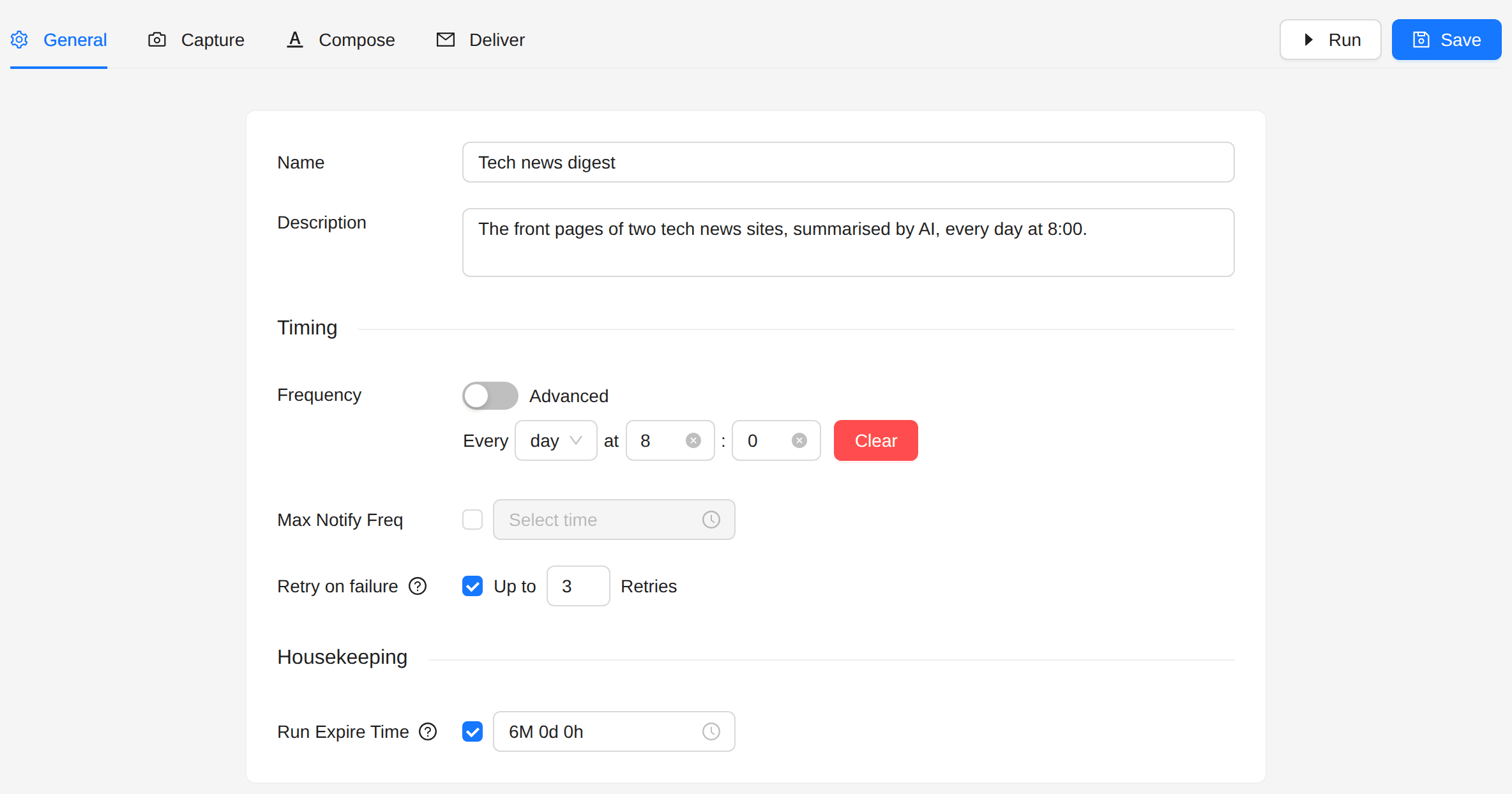
Every morning at 8:00, send the team a digest of two tech news front pages: an executive summary written by AI, and the pages themselves below it.
Use cases
- Industry news digests
- Competitive intelligence reports
- Summaries of research papers
- Summaries of social media monitoring
Before you start
The AI action needs an AI provider. Add one under AI Providers in the sidebar, with the API key of your provider.
Steps
1. Create the job
- Open Jobs in the sidebar.
- Click Create Job, then Create New.
2. General
- Frequency: every day at 8:00.
3. Capture
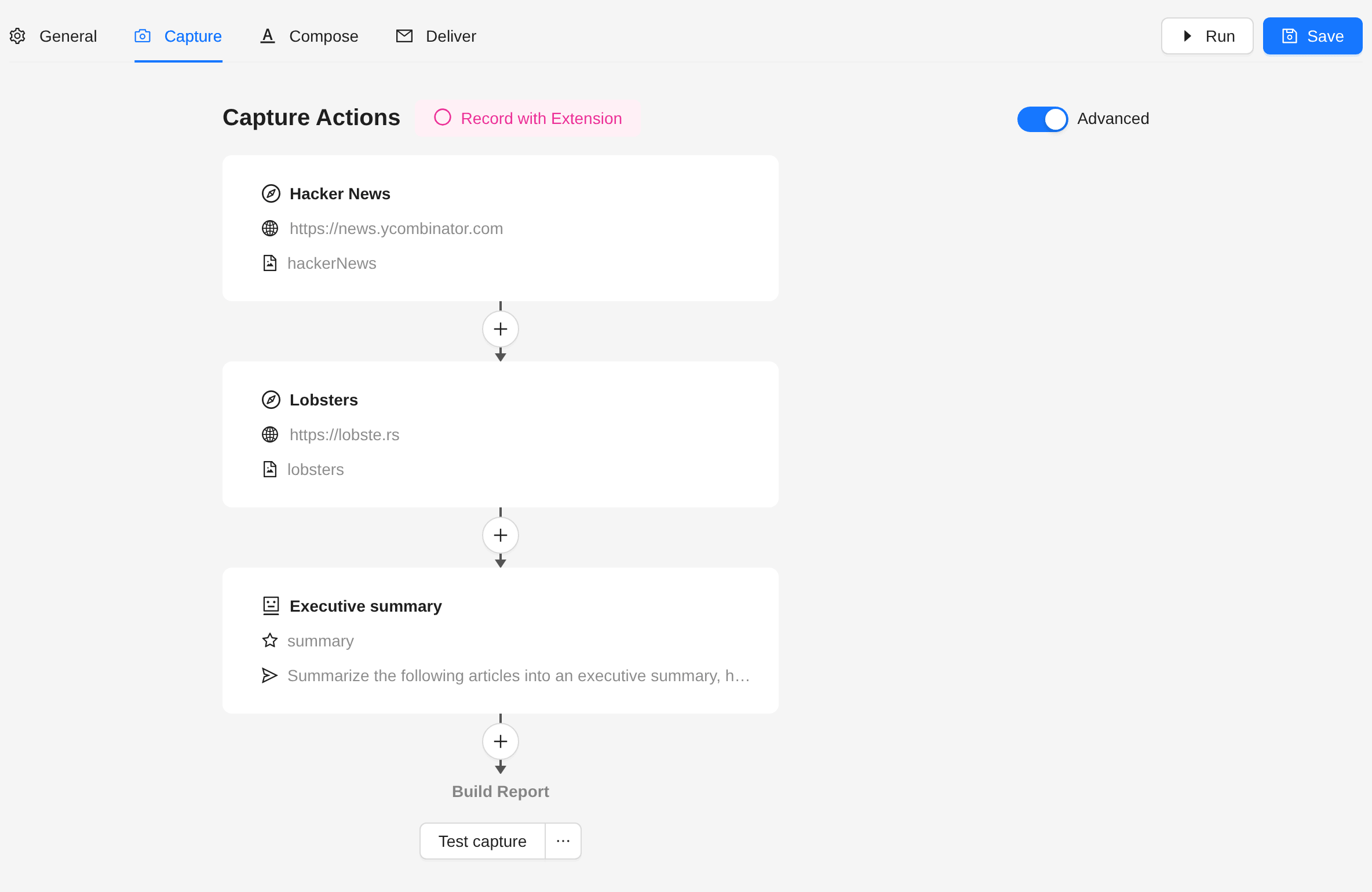
Switch on Advanced. Add a Navigate action for each source, then an AI action below them:
-
Navigate, one for each source:
- Connector: Web.
- URL: the page, for example
https://news.ycombinator.com. - Tick Take snapshot.
-
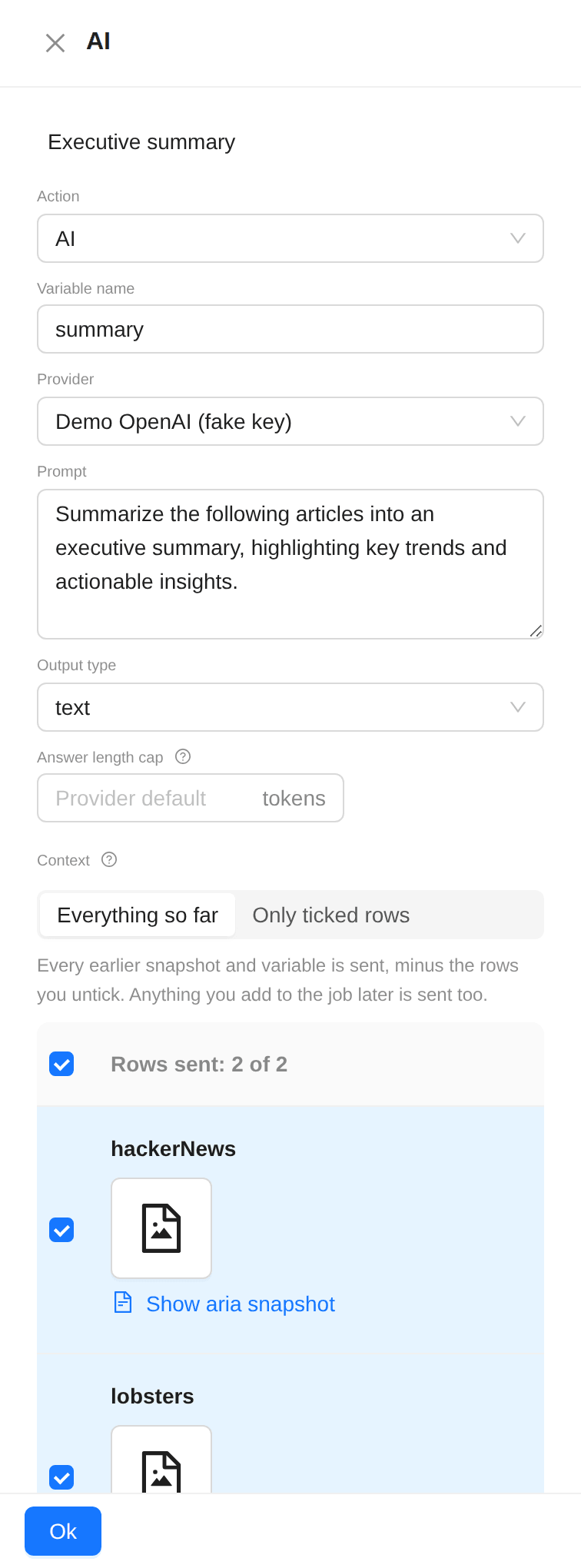
AI:
- Variable name:
summary. The answer goes into this variable. - Provider: your AI provider.
- Prompt: what to do with the pages, for example:
Summarize the following articles into an executive summary, highlighting key trends and actionable insights. - Output type: text.
- Context: Everything so far sends every earlier snapshot and variable, minus the rows you untick. Only ticked rows sends only the rows you tick. Each snapshot row has Show aria snapshot, to see the page text that the AI gets.
- Answer length cap: a limit in tokens, or empty for the default of the provider.
- Variable name:
4. Compose
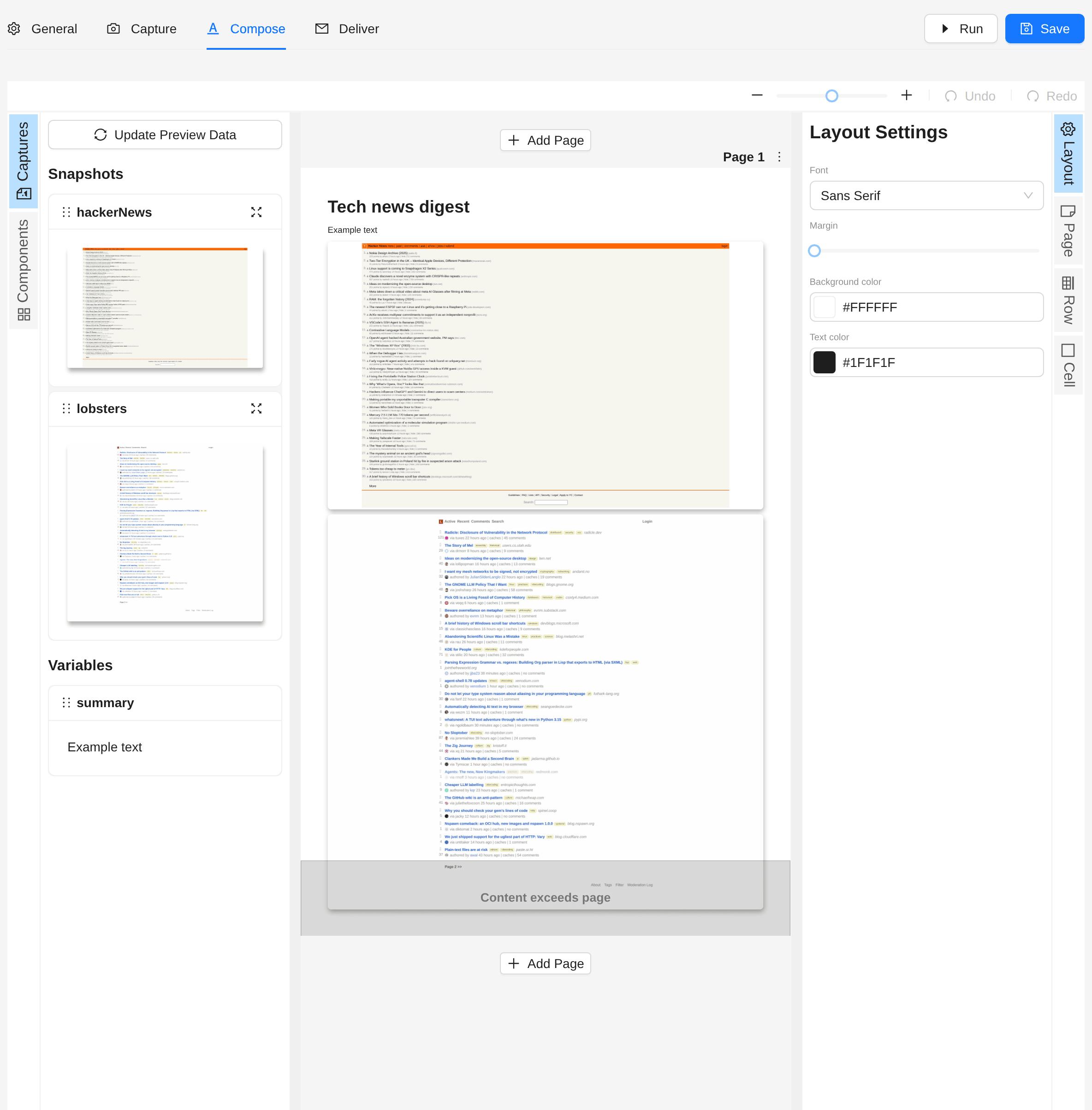
Put the summary in a text block, above the snapshots:
<h1>Tech news digest</h1>
{{ summary }}
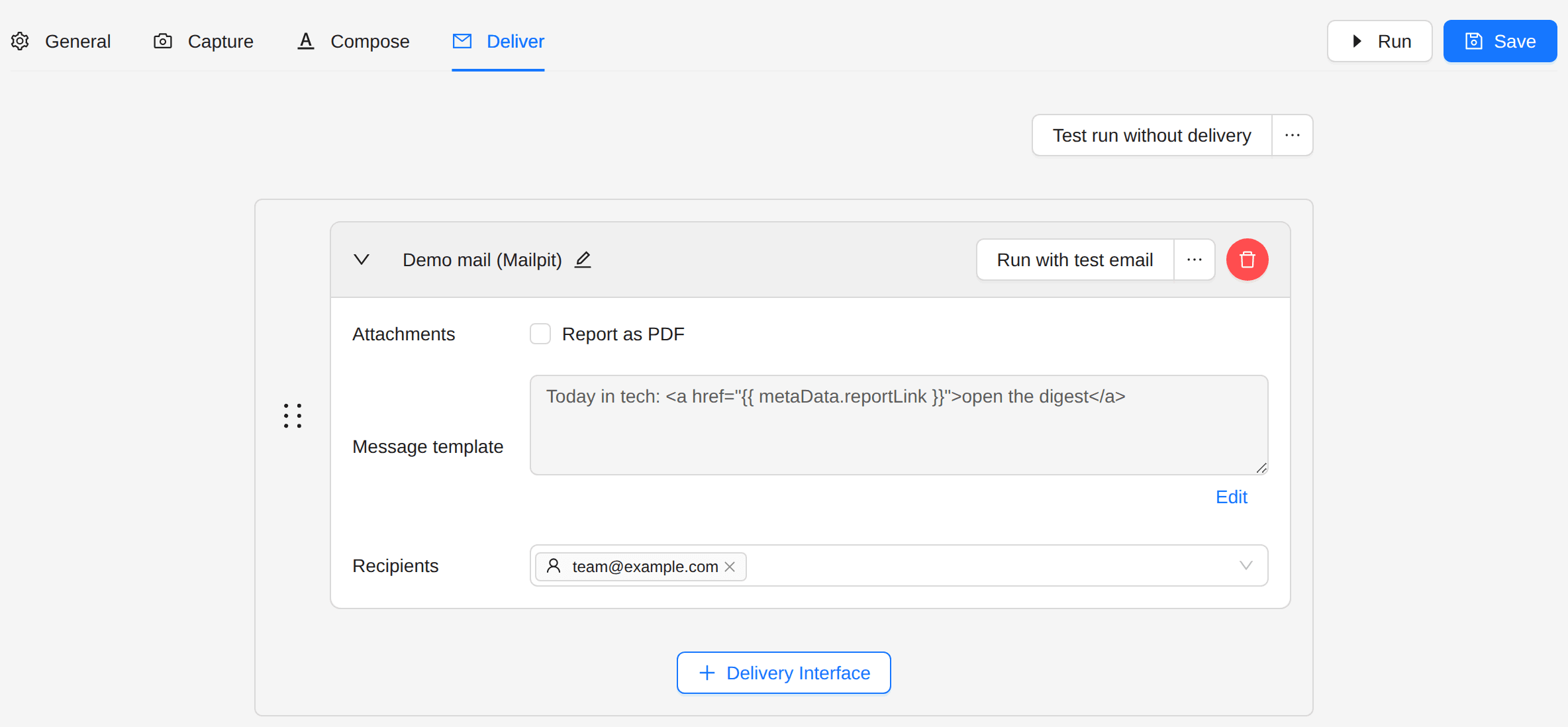
5. Deliver
Choose a delivery interface and the recipients.
Next steps
- Mixed Sources Report: put Kibana, Grafana and other pages in one report.